New AI-Powered Business Card Scanner

Scan Cards.
Save Contacts.
Instantly.

Turn any business card into a digital contact in seconds. AI-powered OCR extracts names, emails, phones and more — all processed on your device. 100% private. 18 languages.
My Quick Card Scanner - Scan and organize your contacts
18 Languages
OCR Recognition
100% Offline
On-device Processing
AI-Powered
ML-based Extraction
iCloud Sync
Across All Devices

Everything you need to
manage business contacts

From scanning a card to sharing your own digital profile — My Quick Card Scanner handles it all, powered by on-device AI.

Instant, accurate
contact extraction

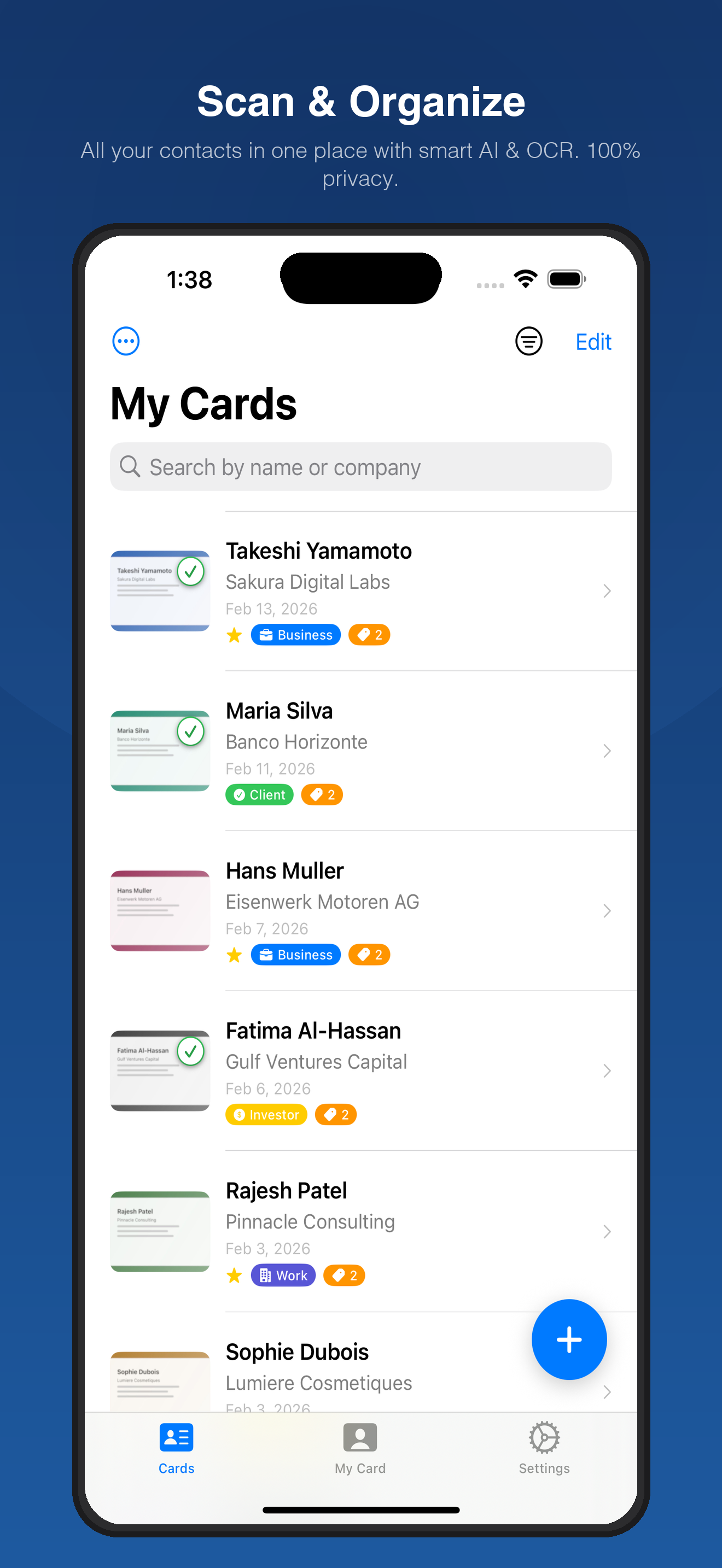
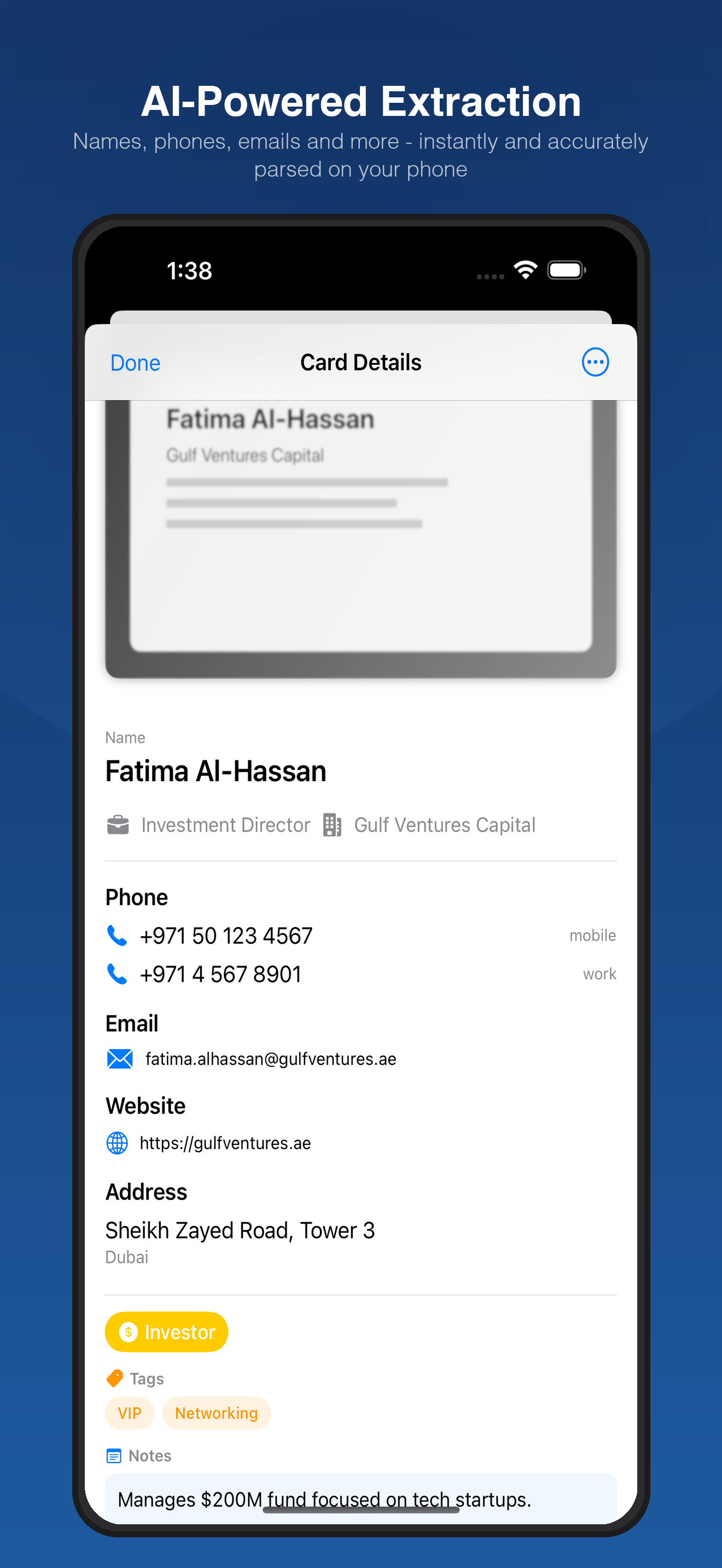
Point your camera at any business card and watch as AI extracts every detail — names, phone numbers, emails, addresses, job titles, and more.

  • On-device ML model trained on business cards
  • Supports 18 languages including CJK and Arabic
  • Batch scan up to 50 cards in a single session
AI-powered contact extraction from business cards

Your card, always
in your pocket

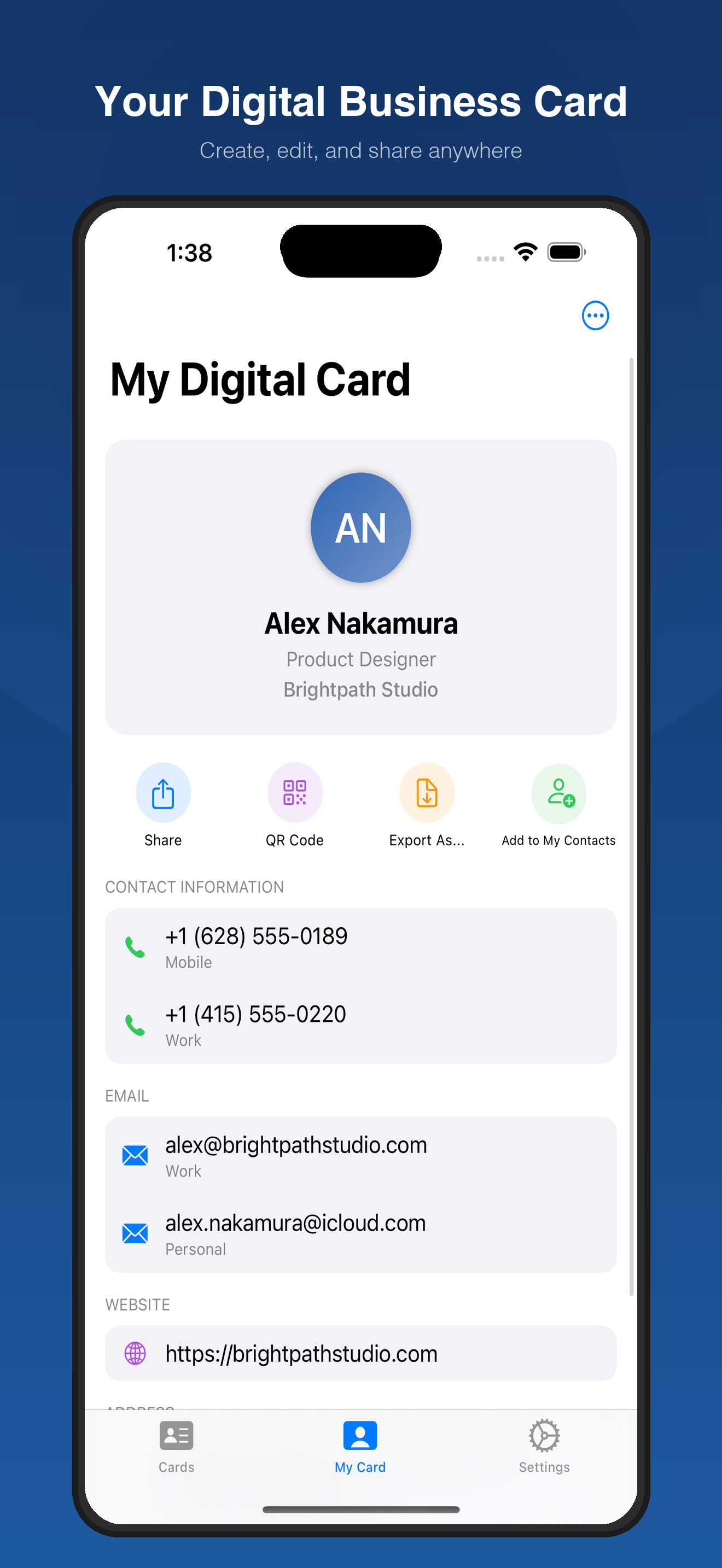
Create a personal digital business card with all your contact info. Share it instantly via QR code, AirDrop, Messages, or any app.

  • Generate a QR code for contactless sharing
  • Export as vCard, JSON, CSV, or Markdown
  • Edit and update anytime
Your digital business card with QR code sharing

Multiple ways
to capture contacts

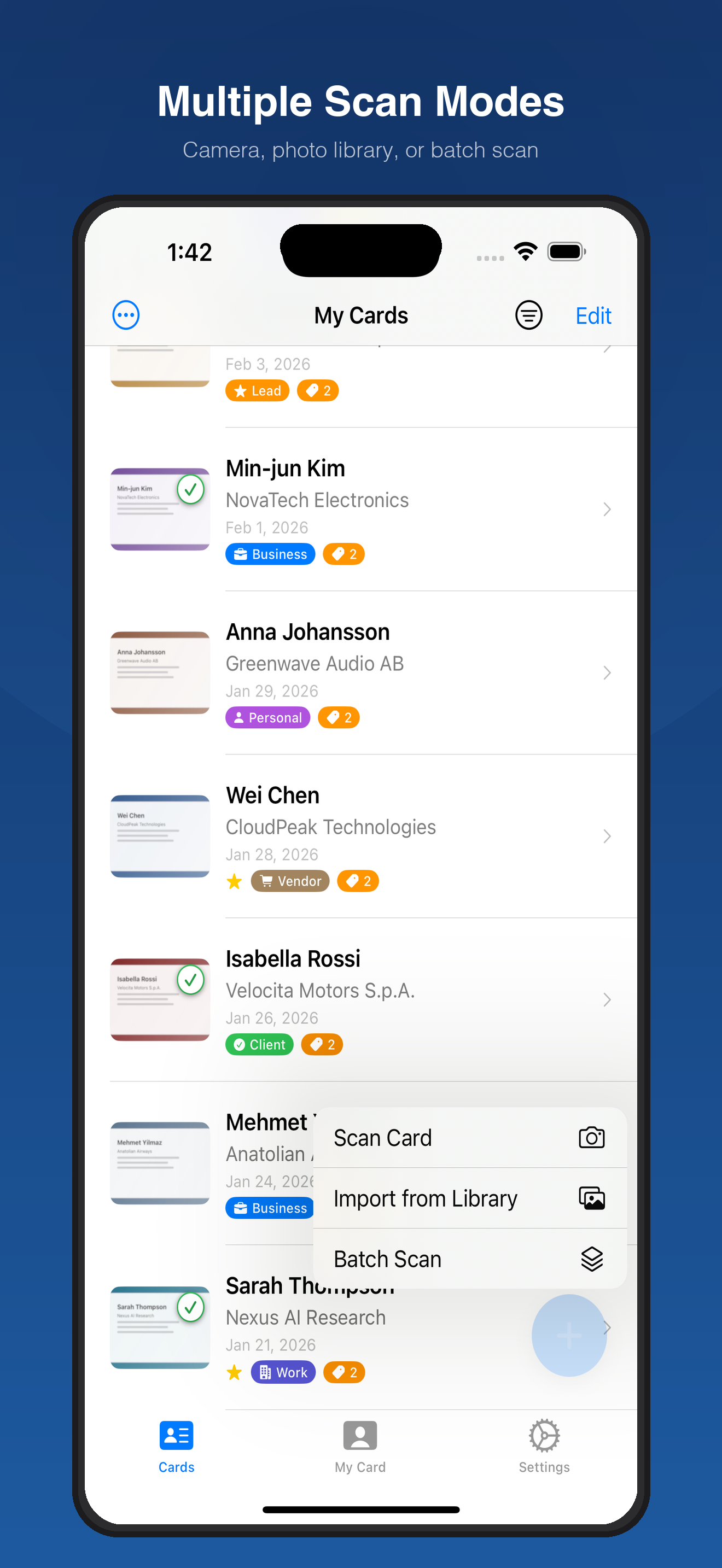
Use the camera for live scanning, import from your photo library, or batch-scan a stack of cards after a networking event.

  • Live camera scanning with real-time preview
  • Photo library import for existing images
  • Batch mode: scan dozens of cards at once
Multiple scan modes - camera, library, and batch scanning

Share your info
with a single scan

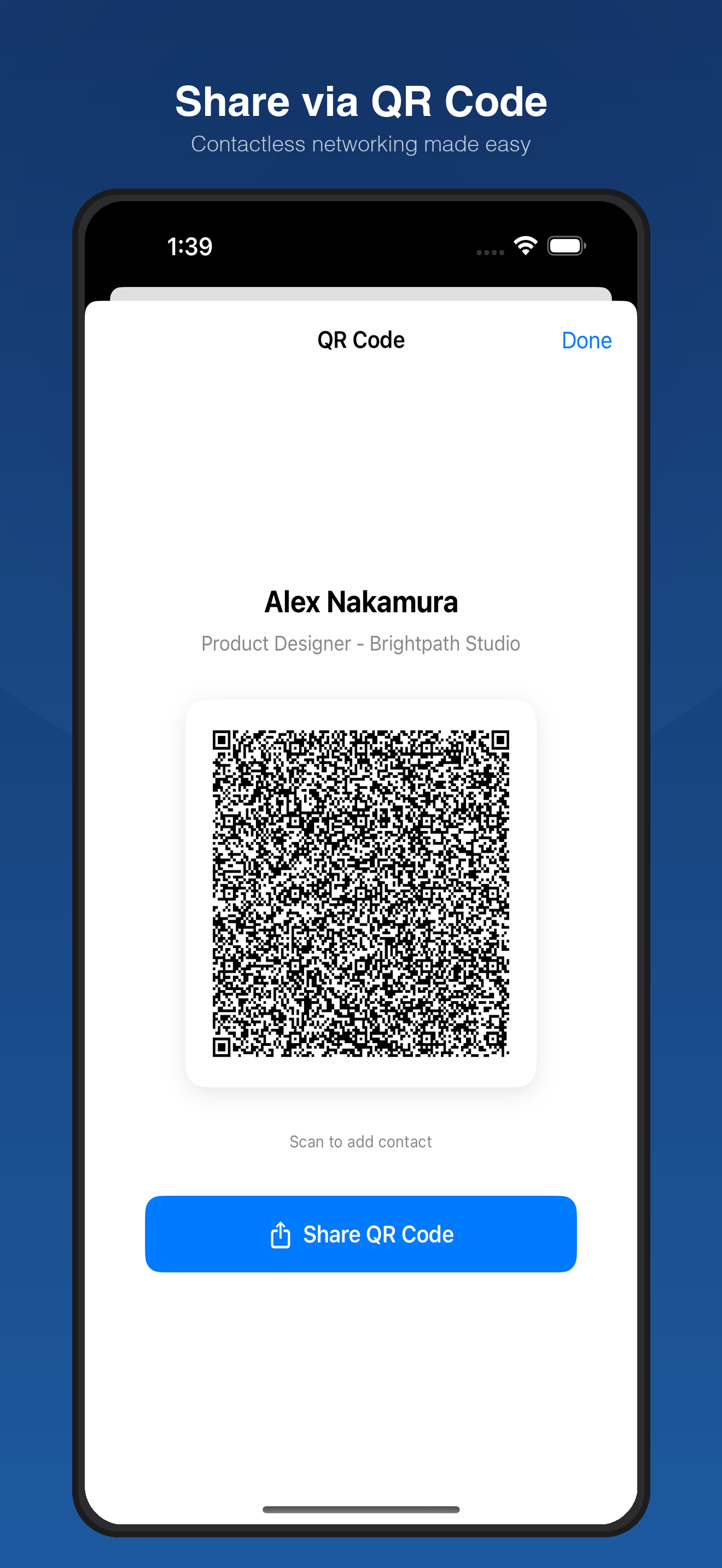
Networking has never been easier. Let anyone scan your QR code to save your contact details instantly. No app required on their end.

  • Works with any phone camera or QR reader
  • Perfect for conferences and meetups
  • Share via AirDrop, Messages, Mail, and more
Share your contact info via QR code

Three steps. Zero hassle.

Go from a physical business card to a saved digital contact in seconds.

1

Scan

Point your camera at any business card, or pick one from your photo library.

2

Extract

On-device AI instantly recognizes and parses every contact detail on the card.

3

Organize

Tag, categorize, search, and sync your contacts. Export to iPhone Contacts or iCloud.

Simple, transparent plans

Start free. Upgrade when you need more power.

Free
For casual users
$0 /month
 
10 scans per month
Individual contact export
Digital business card
QR code sharing
Batch scanning
Cloud backup
Get Started
Pro
For power users
$8.99 /month
or $69.99/year — save 35% • 7-day free trial
Everything in Premium
Batch scanning (up to 50 cards)
Cloud backup & restore
Priority support
iCloud sync across devices
All future features
Start Free Trial

Your data never
leaves your device

Every business card is processed entirely on your iPhone or iPad using on-device AI. No images, text, or contacts are ever sent to external servers.

All OCR and machine learning inference runs locally. Your scanned cards, contact data, and personal information stay under your control — always. Read our full Privacy Policy.
On-Device AI
All processing happens locally on your phone
No Server Uploads
Card images are never transmitted
Encrypted Sync
iCloud sync via Apple's encrypted CloudKit
No Tracking
Anonymous analytics only, no personal data

Frequently asked questions

Everything you need to know about My Quick Card Scanner.

My Quick Card Scanner uses on-device AI and optical character recognition (OCR) to extract contact information from business card images. All processing happens on your iPhone or iPad — no data is sent to any server. Just point your camera or import a photo, and the app parses names, phones, emails, addresses, and more in seconds.

The app supports scanning business cards in 18 languages: English, Spanish, French, German, Portuguese (Brazil), Italian, Dutch, Swedish, Turkish, Indonesian, Japanese, Korean, Chinese (Simplified), Chinese (Traditional), Thai, Hindi, Arabic, and Russian.

If you're signed into iCloud on your Apple devices, your scanned cards sync automatically via CloudKit. Make sure iCloud is enabled in your device's Settings. Your data is encrypted and stored in your private iCloud container.

Yes. Free users can export individual contacts. Premium and Pro users can export all or selected contacts in CSV, vCard, JSON, or Markdown formats. You can also sync contacts directly to your iPhone Contacts with smart duplicate detection.

You can manage or cancel your subscription at any time through your Apple ID settings: Settings > [Your Name] > Subscriptions. You can also access subscription management from the app's Settings screen.

Absolutely. All scanning and AI processing happens entirely on your device. No card images or contact data are sent to external servers. Your data stays yours. Read our full Privacy Policy for details.

Ready to digitize your
business cards?

Download My Quick Card Scanner for free and start scanning today. No sign-up required.